Support by phone and video call
We give support by phone, video call, WhatsApp, Telegram and email. We’ve published more than 30 video tutorials and we train teams. If you need a hand getting started, we’ll connect to your computer remotely.
POS software for bike shops: sell bikes and components by size and colour, charge for labour on the same ticket and have every customer’s history to hand.
No credit card. No lock-in.
From single shops to places selling and repairing all day. An average rating of 4.6 out of 5 on Trustpilot.
Having every repair against the customer’s record has changed how we work.
 Juan Martín
Ciclos Martín
Juan Martín
Ciclos Martín
Every bag size has its own stock now, which is exactly what we needed.
 Manuel Arzuaga
Mundo Animal
Manuel Arzuaga
Mundo Animal
I’m sticking with Catinfog for how simple and effective it is. It’s saved me a great deal of time.
 Luna Quintana
El mundo de Luna
Luna Quintana
El mundo de Luna

A bike shop sells three very different things at the same counter: complete bikes worth a great deal, small components in enormous variety, and the hours of labour that go with them. All three go on the same ticket.
The same model in three frame sizes and two colours is one product with six variants, each with its own barcode and its own stock. Your catalogue stays readable.
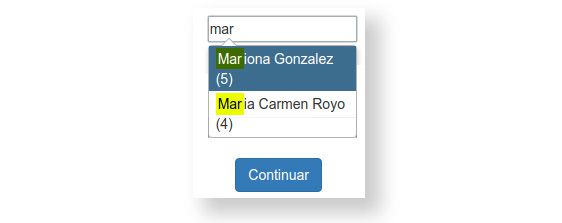
You know which bike each customer rides, what you fitted last time and when it was serviced. When they come back, you’re not starting from nothing.
It also means an invoice comes out with their details already on it.
A repair is never only parts. Put the parts on the ticket from stock and add the labour as its own line, priced how you price it, so the customer sees what they are paying for instead of one number with no explanation.
Anything that does not exist as a product — a one-off adjustment, a part you got in specially — goes on as a line of its own with the description you type.
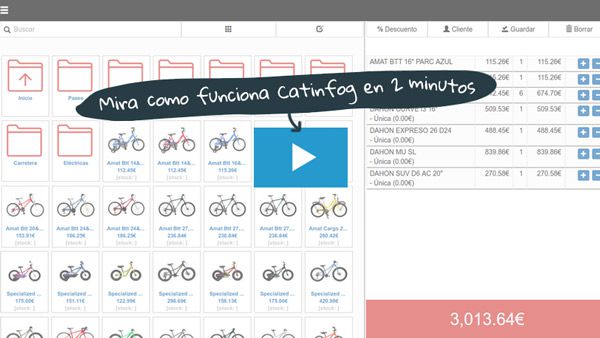
The same model in four sizes and three colours is twelve different things to your stock, and only one of them is the one the customer wants. Each has its own count, so the screen tells you whether you have that exact bike or whether it needs ordering.
The same applies down to a set of tyres: a 700×25 and a 700×32 are not interchangeable, and the POS does not pretend they are.

Nobody minds waiting for a wheel build. Waiting three days for a gear cable is another matter. Set the level at which each small line needs reordering and the POS tells you what is running down before a bike is sitting in the workshop waiting for it.
You can count the parts drawers with your phone, a shelf at a time, without shutting the shop for a day to do it.
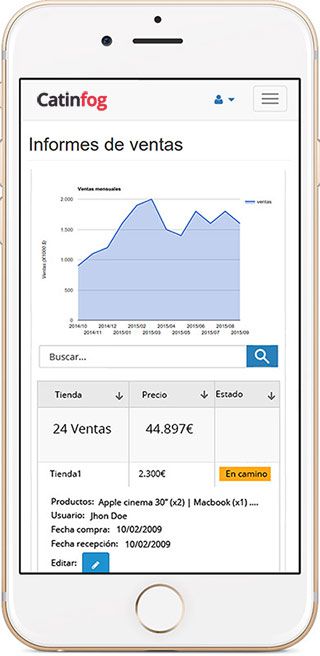
A bike shop has two businesses in one, and they peak at opposite ends of the year. Look at what came from selling and what came from labour, month by month, and you can see which one is actually paying the rent.
That is usually what tells you how much stock to have on the floor in February, rather than ordering the same as last year and hoping.

The interface is built to add products in as few taps as possible, whether you use a touchscreen, a mouse or a scanner.
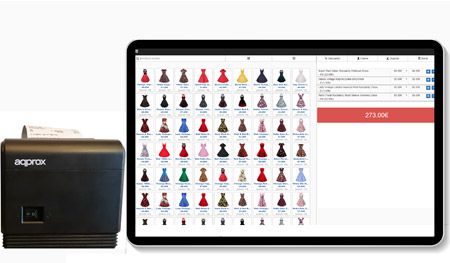
The POS comes with an online shop sharing the same catalogue and the same stock, so a component sold over the counter comes off the website automatically.
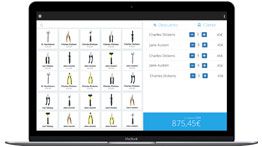
Cables, chains, brake pads and inner tubes run to thousands of lines. The search finds any of them as you type, and a minimum on each one tells you when to reorder.
Watch the video and you’ll have the POS running in five minutes flat.
Or give us a call: we’ll connect remotely and leave it ready for you to sell.
Every feature we’ve built is there to make your shop more productive.
We give support by phone, video call, WhatsApp, Telegram and email. We’ve published more than 30 video tutorials and we train teams. If you need a hand getting started, we’ll connect to your computer remotely.
If you’d rather your staff didn’t get into certain parts of the POS, you can stop them. Keep the dashboard — with everything about the shop and the stock — for managers and owners only.
Import your old system’s products and customers in bulk from a spreadsheet. It’s as simple as putting the columns in order and importing. The move is done in seconds.
Forget sending hundreds of PDFs every quarter. Download your sales and refunds to a spreadsheet in one click and send it over. Easier for you, and a relief for them.
Yes. The same model in three frame sizes and two colours is a single product with six variants, each with its own barcode and its own stock. It only counts once towards your plan’s limit.
Yes. Every sale and every job is filed against the customer’s record, so you know which bike they ride, what you fitted last time and when it was serviced.
Yes. The Professional plan covers 5,000 separate products and Premium 20,000, and the search finds any of them as you type, by barcode or by name.
A computer, a receipt printer, a cash drawer, a barcode scanner and an internet connection.
The parts come off stock onto the ticket and the labour goes on as its own line, priced how you price it, so the customer sees what they are paying for. Anything that does not exist as a product goes on as a line with the description you type.
Yes. The same model in four sizes and three colours is twelve separate counts, so the screen tells you whether you have that exact bike or whether it needs ordering. The same applies to tyres in different widths.
Yes. Set the level at which each line needs reordering and the POS shows you what is running down, which is what stops a bike sitting in the workshop waiting for a three-euro cable.
Yes, month by month. A bike shop has two businesses in one and they peak at opposite ends of the year, so that is usually what tells you how much stock to have on the floor in February.
If you’ve read this far, something here has struck a chord. So try Catinfog free for 14 days and find out for yourself.
No credit card. No lock-in.