Support by phone and video call
We give support by phone, video call, WhatsApp, Telegram and email. We’ve published more than 30 video tutorials and we train teams. If you need a hand getting started, we’ll connect to your computer remotely.
POS software for coffee shops and bars: several tabs open at once behind the counter, each one settled when the customer asks.
No credit card. No lock-in.
From a single counter to bars with several people serving. An average rating of 4.6 out of 5 on Trustpilot.
With Catinfog we can serve customers at the bar, at the tables and out on the terrace all at the same time.
 María José Esparza
Cafetería Lizarralde
María José Esparza
Cafetería Lizarralde
The best part for me is being able to check how the day’s sales are going from anywhere, on my phone.
 Miguel Álvarez
Hombre de Etiqueta
Miguel Álvarez
Hombre de Etiqueta
I’m sticking with Catinfog for how simple and effective it is. It’s saved me a great deal of time.
 Luna Quintana
El mundo de Luna
Luna Quintana
El mundo de Luna
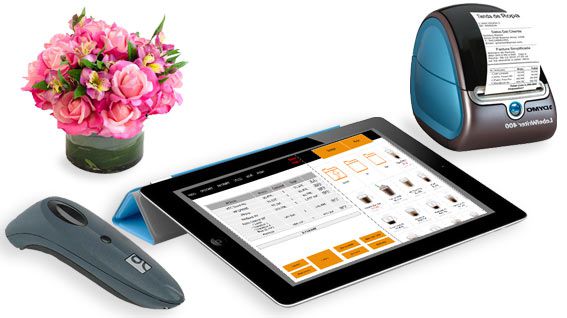
Someone is still drinking, another customer has just ordered and a third wants to pay. Catinfog keeps every tab separate and open until each one is settled, however many you have on the go.
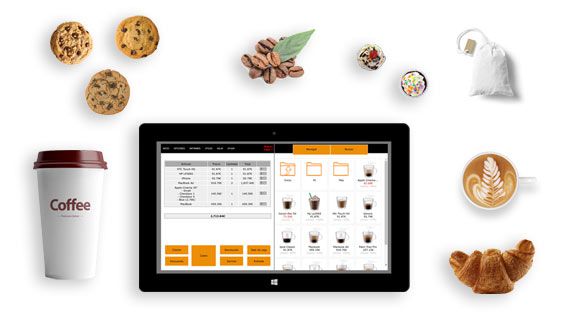
Put each round straight onto its tab as you serve it. Nothing written on paper, nothing to key in again when they come to pay.
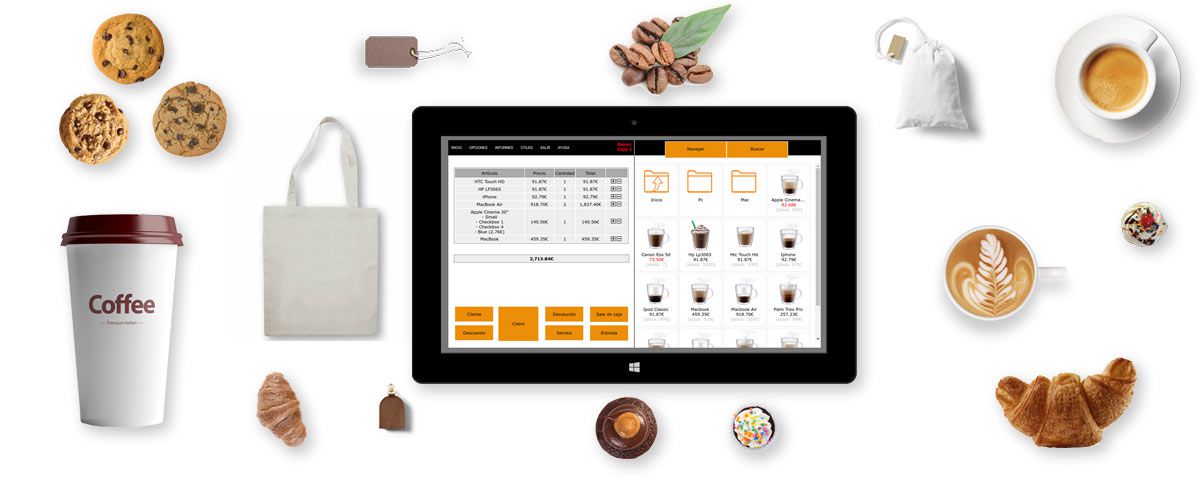
Coffees, beers and the day’s specials sit on screen as buttons. Adding a round is a few taps and the tab updates as you go.
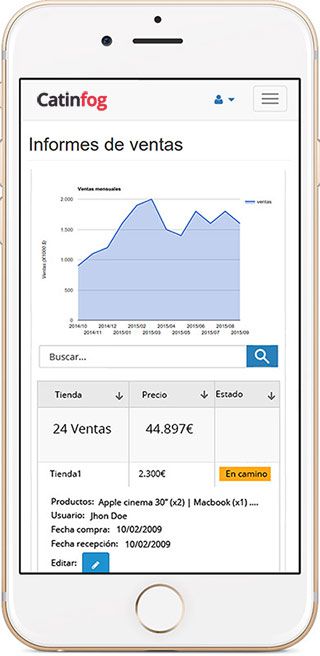
See what you’ve taken today, who’s on the till and how the week compares with the last one, without being behind the bar.
The POS comes with an online shop for takeaway and collection orders. An order comes in through the website and the ticket prints where you need it.
Every payment goes in sorted by how it was paid, so the cash-up is done when you close: how much in cash, how much on card, and whether it matches the drawer.
Close a tab in cash, on card, or part on each. The change is worked out for you and the drawer opens on its own, so nobody does sums with a queue waiting.
Every payment is filed by how it was paid, which is what makes the end-of-day cash-up add up on its own.
Coffee and toast for one price, or a drink with something to eat: set the deal up as a single button instead of ringing up two items and working out the discount every time.
Change what today’s deal includes in the morning without rebuilding anything, and add anything extra on top with a tap.
Between eight and half past nine a coffee shop does a large part of the day’s covers, in ones and twos, in cash, with a queue at the counter. Coffee and toast is two taps and the drawer opens.
The things you sell most sit on the first screen, so nobody hunts through categories with five people waiting. And if a regular always has the same thing, repeat their last order in one tap.
Every coffee sold takes its share off the bag of beans, every draught off the keg and every bottle off the fridge. At the end of the week you can see what actually went out, rather than guessing before you order.
Staff drinks, waste and a coffee on the house go in as such, so the figures still add up at the end of the month.
Watch the video and you’ll have the POS running in five minutes flat.
Or give us a call: we’ll connect remotely and leave it ready for you to sell.
Every feature we’ve built is there to make your shop more productive.
We give support by phone, video call, WhatsApp, Telegram and email. We’ve published more than 30 video tutorials and we train teams. If you need a hand getting started, we’ll connect to your computer remotely.
If you’d rather your staff didn’t get into certain parts of the POS, you can stop them. Keep the dashboard — with everything about the shop and the stock — for managers and owners only.
Import your old system’s products and customers in bulk from a spreadsheet. It’s as simple as putting the columns in order and importing. The move is done in seconds.
Forget sending hundreds of PDFs every quarter. Download your sales and refunds to a spreadsheet in one click and send it over. Easier for you, and a relief for them.
Yes. You can have as many tabs open at the same time as you need, and settle each one when the customer asks. Nothing gets mixed up between them.
Yes. You can leave a tab open, serve and charge other customers in between, and come back to it whenever they ask to pay.
No, and we would rather say so. Catinfog is built for serving and charging over a counter: tabs, quick tills, stock and cash-up. It has no table plan and no ordering from the table, so a restaurant with waiters taking orders in the dining room needs something else.
A computer or a tablet, a receipt printer, a cash drawer and an internet connection. Nothing else.
Yes. A tab can be settled in cash, on card or part on each, and the change is worked out for you. Every payment is filed by type so the cash-up at the end of the day adds up on its own.
Yes. A breakfast deal or a drink with something to eat goes in as one button at one price, so nobody rings up two items and works out the discount by hand. Anything extra adds on top with a tap.
Every coffee sold takes its share off the bag of beans, every draught off the keg and every bottle off the fridge. Staff drinks, waste and anything on the house go in as such, so the figures still add up at the end of the month.
That is what it is built for. A coffee and toast is two taps and the drawer opens, the things you sell most sit on the first screen, and a regular’s usual order can be repeated in one tap.
If you’ve read this far, something here has struck a chord. So try Catinfog free for 14 days and find out for yourself.
No credit card. No lock-in.