Support by phone and video call
We give support by phone, video call, WhatsApp, Telegram and email. We’ve published more than 30 video tutorials and we train teams. If you need a hand getting started, we’ll connect to your computer remotely.
POS software for grocery shops and mini-markets: scan what has a barcode, key in what goes by weight, and keep on top of dates.
No credit card. No lock-in.
From corner shops to mini-markets with several tills. An average rating of 4.6 out of 5 on Trustpilot.
Knowing what’s about to go out of date before it does has paid for the whole thing.
 Miguel Ángel Gutiérrez
La Despensa
Miguel Ángel Gutiérrez
La Despensa
I’m sticking with Catinfog for how simple and effective it is. It’s saved me a great deal of time.
 Luna Quintana
El mundo de Luna
Luna Quintana
El mundo de Luna
The best part for me is being able to check how the day’s sales are going from anywhere, on my phone.
 Miguel Álvarez
Hombre de Etiqueta
Miguel Álvarez
Hombre de Etiqueta
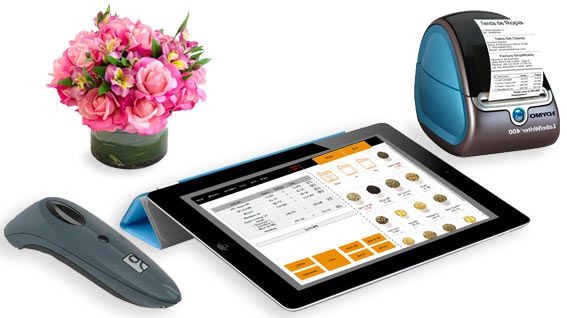
Packaged goods with a barcode, cold cuts by weight, fresh produce that has to move: a grocery shop sells three different ways at the same counter, and the POS has to handle all three without slowing down.
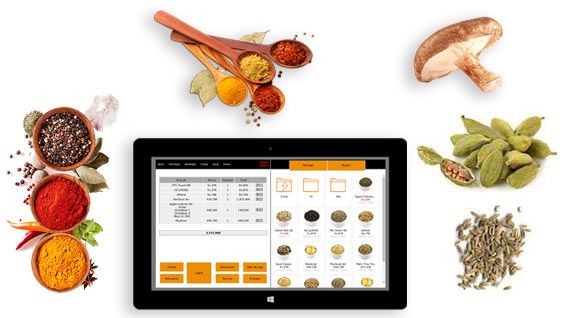
A tin of tomatoes scans and it is done. Two hundred grams of ham you key in as 0.200 and the price works itself out from the price per kilo, with that same amount coming off the stock.
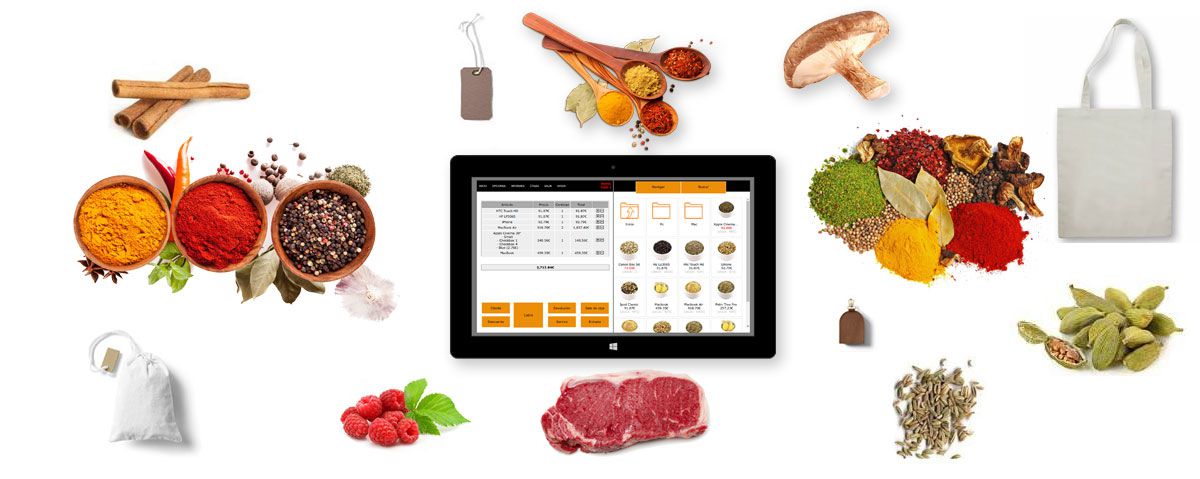
A touchscreen keeps hands off the keyboard, which matters when you’re handling food. Two taps to finish a sale.
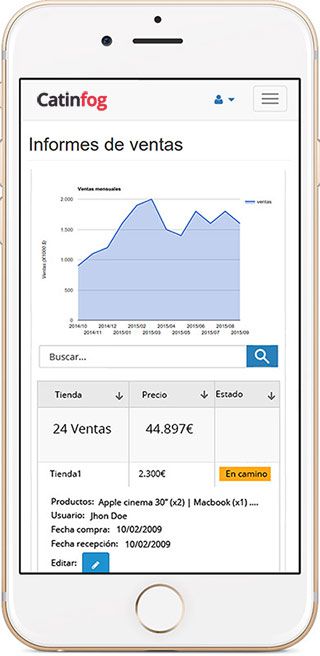
See what you’ve taken today, what sold most and what you’re running low on, without being behind the counter.
The online shop that comes with the POS lets your regulars put in their weekly order and collect it, or have it delivered.
Record the batch and the use-by date on what needs it, so you know what to move first, and set a minimum on each product so you order before the shelf is empty.
A grocery shop carries thousands of lines and nobody is going to enter them one at a time. Scan an item that isn’t in the system yet and it asks you for the name and the price there and then, so the shelves fill up as you sell rather than in a week of evenings.
The same barcode always brings up the same product, so the second delivery of that brand is already done.
People on their way home buy small and buy fast, and they will not queue for a shop that has a supermarket two streets away. Bread, milk and the daily paper sit on the first screen, so the ones you sell fifty times a day are one tap rather than a search.
Look at your takings by hour afterwards and you can see exactly when you need a second person on the till and when you are paying someone to stand still.
A distributor raises everything by four per cent and you have two hundred lines from him. Change them as a category in one go rather than one product at a time, and the new price applies at the counter and in the online shop straight away.
The old price stays in the history, so you can see what a tin was costing you in March when you are arguing about it in October.
You don’t have to shut for a day to do a stock count. Go down one aisle with your phone, scan and count, and leave the rest for tomorrow — the figures update as you go.
What you find is the difference between what the system thought you had and what is on the shelf, which is usually where the money has been going.
Watch the video and you’ll have the POS running in five minutes flat.
Or give us a call: we’ll connect remotely and leave it ready for you to sell.
Every feature we’ve built is there to make your shop more productive.
We give support by phone, video call, WhatsApp, Telegram and email. We’ve published more than 30 video tutorials and we train teams. If you need a hand getting started, we’ll connect to your computer remotely.
If you’d rather your staff didn’t get into certain parts of the POS, you can stop them. Keep the dashboard — with everything about the shop and the stock — for managers and owners only.
Import your old system’s products and customers in bulk from a spreadsheet. It’s as simple as putting the columns in order and importing. The move is done in seconds.
Forget sending hundreds of PDFs every quarter. Download your sales and refunds to a spreadsheet in one click and send it over. Easier for you, and a relief for them.
Yes, both at the same counter. Anything with a barcode scans; anything by weight you key in — 0.200, for instance — and the price works itself out from the price per kilo, with that amount coming off the stock.
Yes. You can record the batch and the date on the products that need it, so you know what to move first and nothing sits past its date.
Yes, through the online shop that comes with the POS. It shares the same catalogue and the same stock, so your regulars can put in their order and collect it or have it delivered.
A computer, a receipt printer, a cash drawer, a barcode scanner and an internet connection. If you weigh cold cuts or cheese on your own scales, you carry on using them exactly as you do now.
No. Scan an item that is not in the system yet and it asks you for the name and the price there and then, so the shelves fill up as you sell. The same barcode always brings up the same product afterwards.
No. You can change a whole category in one go rather than one product at a time, and the new price applies at the counter and in the online shop straight away. The old price stays in the history.
Yes. Your takings broken down by hour show you when you need a second person on the till and when you are paying someone to stand still.
No. You can count one aisle at a time with your phone, scanning as you go, and leave the rest for another day. The figures update as you count.
If you’ve read this far, something here has struck a chord. So try Catinfog free for 14 days and find out for yourself.
No credit card. No lock-in.