Results appear as you type. Use the arrow keys to move and Enter to open. Press the slash key to come back here.
How is a credit note redeemed?
You gave a customer a credit note when they returned something, and now they’re back to buy again. Here’s how the note is applied to the basket, in three steps.
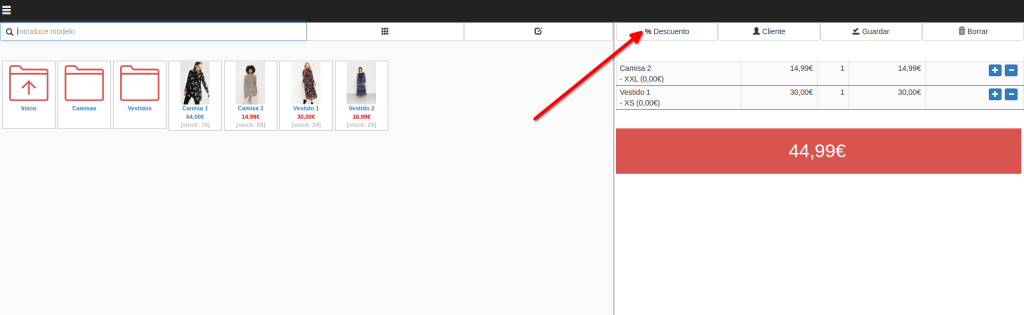
- Add the products the customer wants to the basket, just as you would on any sale.
- Click the Discount button.
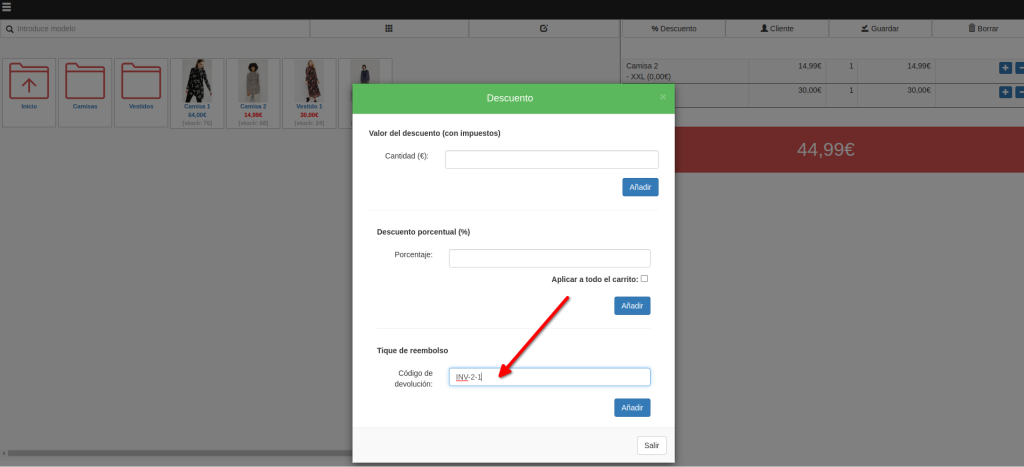
- Click the third field and scan the credit note’s barcode, or type the code by hand. Then click Add.
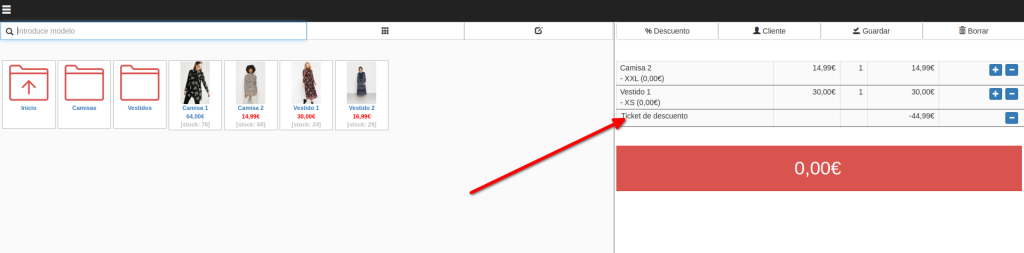
The credit note is applied to the basket and you’ll see it come off the total:
Finish the sale as normal. The receipt that prints shows, at the bottom, how much is left on the credit note.
A credit note can be spent across several purchases until it’s used up. To check the balance before redeeming it, see how much credit is left on a credit note. And if the purchase comes to more than the note is worth, the customer simply pays the difference: we cover that in what happens when a credit note runs out.how much credit is left on a credit notewhat happens when a credit note runs out