The 25 best POS systems in 2025-2026
Choosing a point of sale system is the most important technical decision a shop makes. The trouble is that it’s hard to know which one suits your business, and if you’re after free POS software it’s harder still.
For this comparison we tested 25 POS systems — free, open source and paid — and for each one we’ve noted how easy it is to use, how well it scales, what it runs on, whether it works in the cloud and whether an online shop comes with it. Most of the free ones are open source and have to be installed on a server of your own; the paid ones you can have running the same day.
The 25 best POS systems, in order
Almost all the POS systems on this list could run your shop. They’re all different from one another; what they have in common is that they’re real, tested options. Beside each one you’ll find a panel with the same five details, so you can compare them at a glance.
1. Catinfog
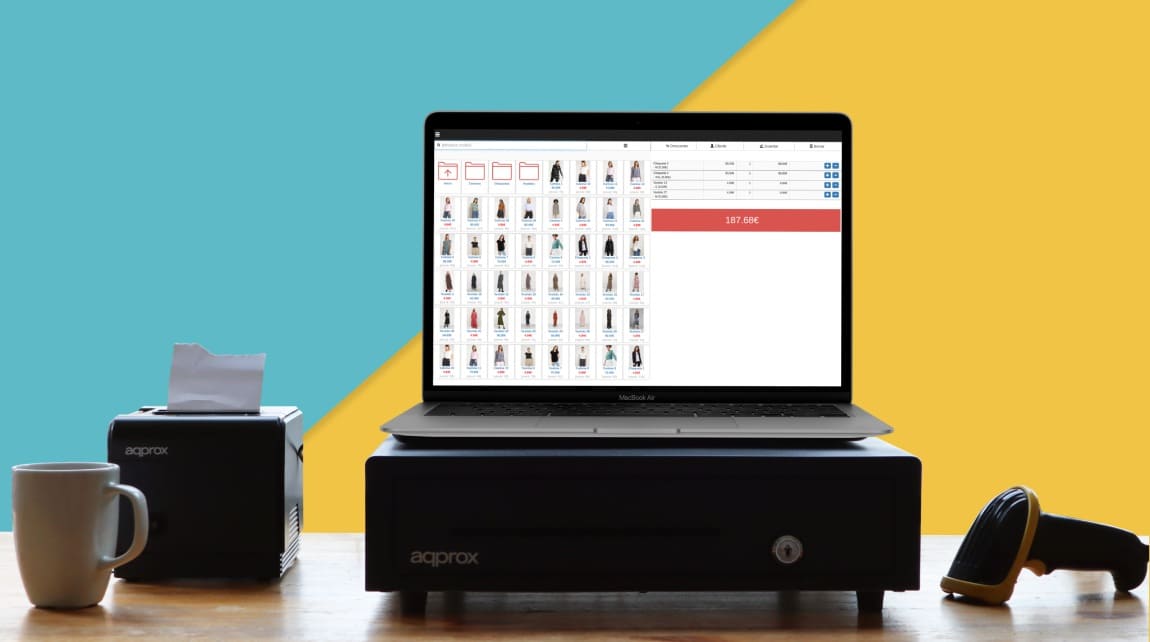
Catinfog tops this list. It’s a cloud POS of the plug-in-and-go sort: nothing to install, and it makes no difference what operating system you’re on (Windows, Mac, Android, Linux) or what device you’re using. It runs on any screen, touch or not, and works with any receipt printer and any barcode scanner.
What stands out about Catinfog is that it comes with an online shop synced to the POS: the products, prices and stock in the software appear in the online shop automatically, with no work done twice.
Signing up gives you a 14-day free trial with no credit card. The paid plan starts at €39/month, with the POS and the online shop included in the same price.
| Ease of use | Muy alta |
|---|---|
| How well it scales | High — works for chains and franchises |
| Runs on | Any OS, any screen, any printer |
| Cloud-based | Sí |
| Online shop | Yes — synced with the POS |
| Precio | From €39/month · 14 days free, no card |
2. Unicenta
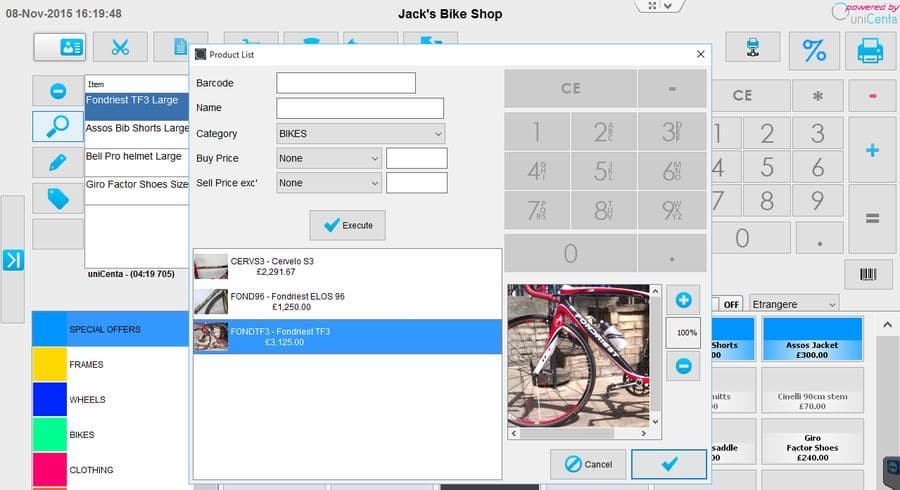
Unicenta is old-school open-source POS software — in fact it’s a fork of Openpos with some changes. Its community has thinned out over the years but is still going. The great advantage is that it’s open source and that it concentrates on being a POS and nothing else. On the downside, the interface belongs to an earlier generation and there’s no online shop. Installing it needs an Apache and MySQL server.
| Ease of use | Medium — takes some learning at first |
|---|---|
| How well it scales | Alta |
| Runs on | Any OS, computer screens only |
| Cloud-based | Sí |
| Online shop | No |
3. Ofbiz
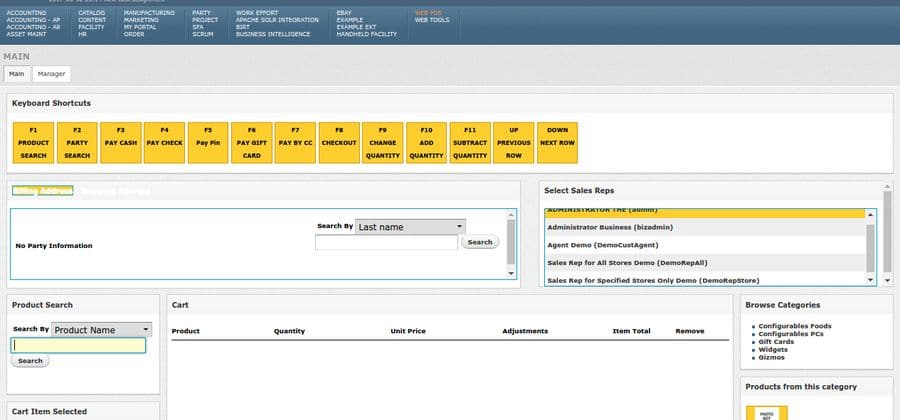
Ofbiz is a POS module that installs inside the ERP they offer. It’s open source under the Apache licence, which means it’s free and you can change the code. Written in Java; the community isn’t large but the project is still active. The design has aged, though it’s one of the few projects this old that still ships updates. There’s a module for building an online shop.
| Ease of use | Medium-low — it’s a full ERP, not just a POS |
|---|---|
| How well it scales | Alta |
| Runs on | Computer screens |
| Cloud-based | Sí |
| Online shop | Sí |
4. Chromis
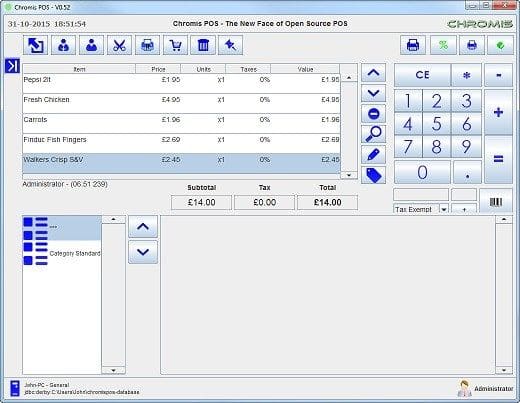
Chromis is open-source POS software with a largely English-speaking community, aimed at hospitality. Its standout module is an order board. It only supports 1024×768 screens. Its strong suit is simplicity: it will run on a Raspberry Pi 2. The drawback is that the simplicity goes too far, with an interface from the 1990s.
| Ease of use | Media-alta |
|---|---|
| How well it scales | Baja |
| Runs on | Windows, Linux, Mac |
| Cloud-based | No |
| Online shop | No |
5. Wallace POS
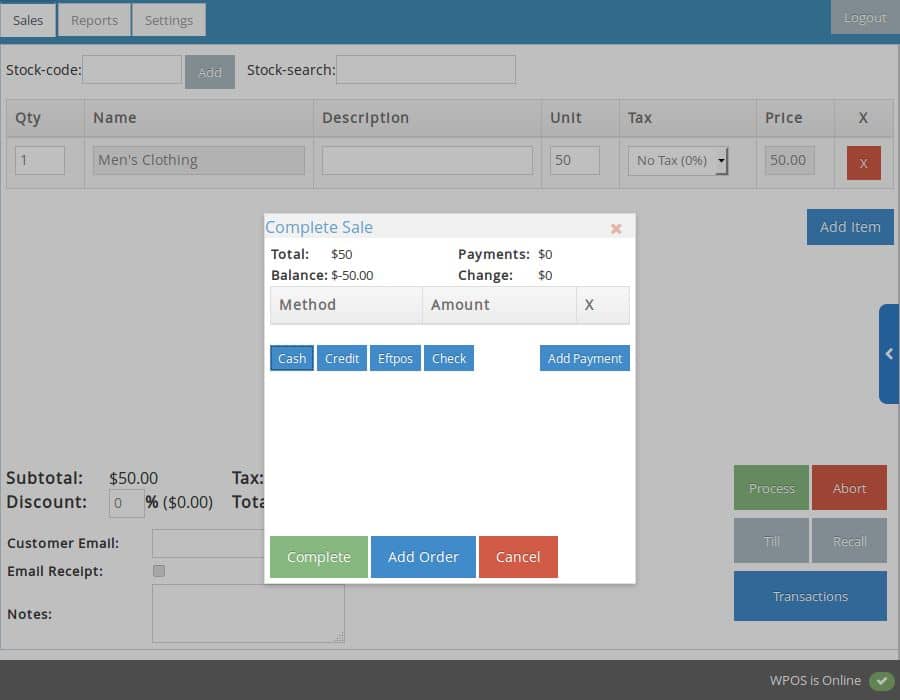
Wallace is open-source cloud POS software written in PHP by four developers. Its interface sits halfway between the nineties and the present day. It’s a shame no active community grew around it: the GitHub repository has been quiet for some time. Even so, small shops with basic needs might consider it.
| Ease of use | Media-alta |
|---|---|
| How well it scales | Alta |
| Runs on | Computer screens |
| Cloud-based | Sí |
| Online shop | No |
6. Samba
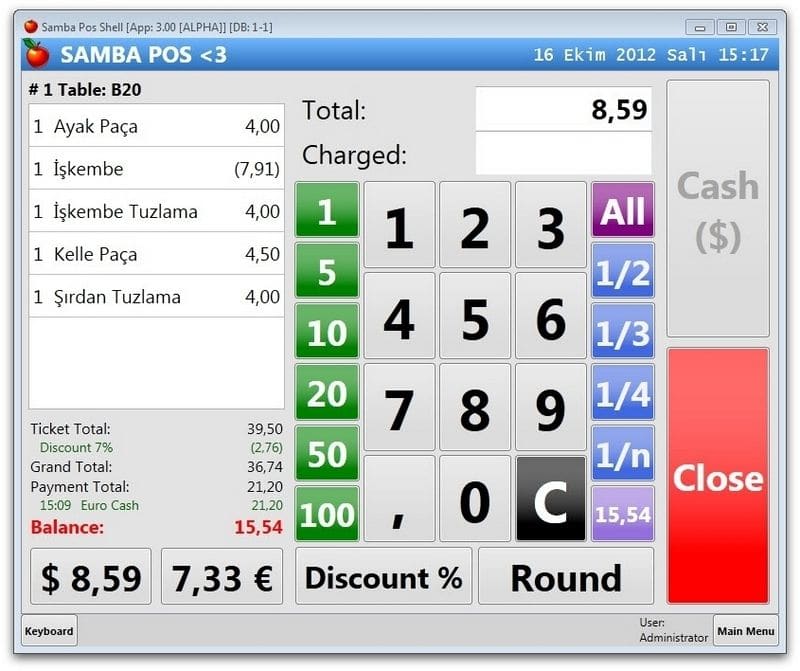
Samba is Windows POS software built for hospitality. It’s fairly simple, which makes it a piece of software with few bugs in it. It hasn’t been updated in years, but the questions section of its website still gets posts. It will run on computers more than ten years old.
| Ease of use | Media |
|---|---|
| How well it scales | Baja |
| Runs on | Windows only |
| Cloud-based | No |
| Online shop | No |
7. Floreant
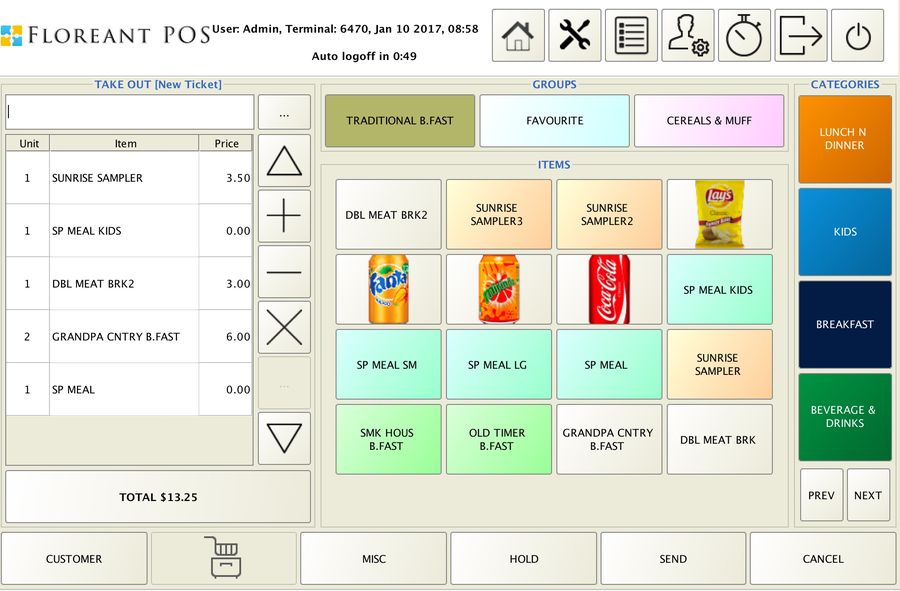
Floreant is free POS software specialising in restaurants, though any shop could use it. Written in Java and compatible with most operating systems. It can only be used on large screens. Its great advantage is that specialism: it handles all the printers in a restaurant well — kitchen, bar and the rest. Against it: slow development and a dated interface.
| Ease of use | Media |
|---|---|
| How well it scales | Media |
| Runs on | High — several operating systems, large screens |
| Cloud-based | Sí |
| Online shop | No |
8. Keyhut
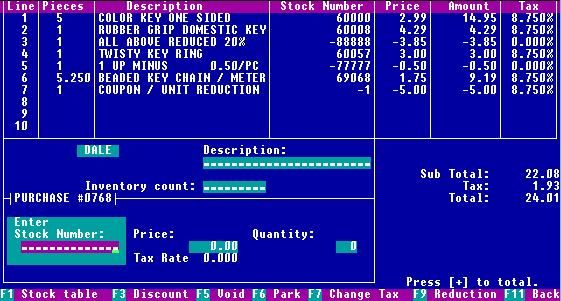
Keyhut is a vintage POS of the sort used in the 1980s. DOS only. As a piece of computing history it’s a gem; as a tool for running a real shop in 2026, it isn’t a practical choice. We’ve included it as a curiosity.
| Retro charm | Alto |
|---|---|
| Ease of use | Baja |
| How well it scales | Baja |
| Runs on | Solo DOS |
| Cloud-based | No |
| Online shop | No |
9. Ospos
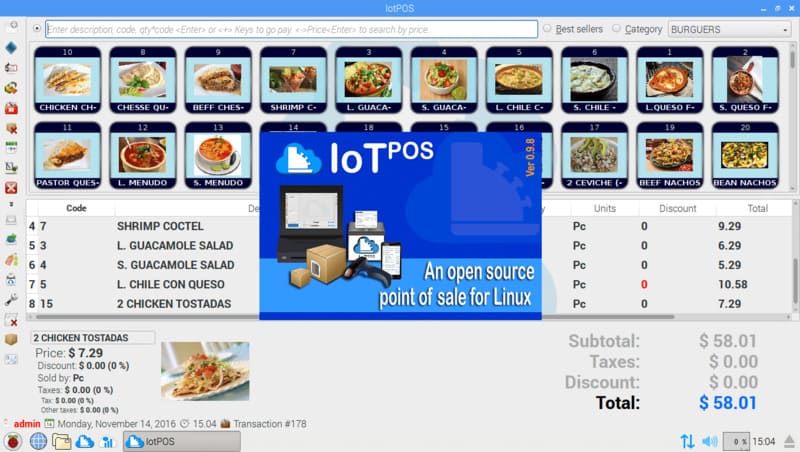
Ospos is open-source POS software with some history behind it and several forks built on its code. The dashboard is nicely done, though it packs in more tools than most shops need. The POS interface itself belongs to an earlier generation. Its strength is the developer community and regular updates. Needs an Apache and MySQL server.
| Ease of use | Media-alta |
|---|---|
| How well it scales | Alta |
| Runs on | Alta |
| Cloud-based | Sí |
| Online shop | No |
10. Pangea
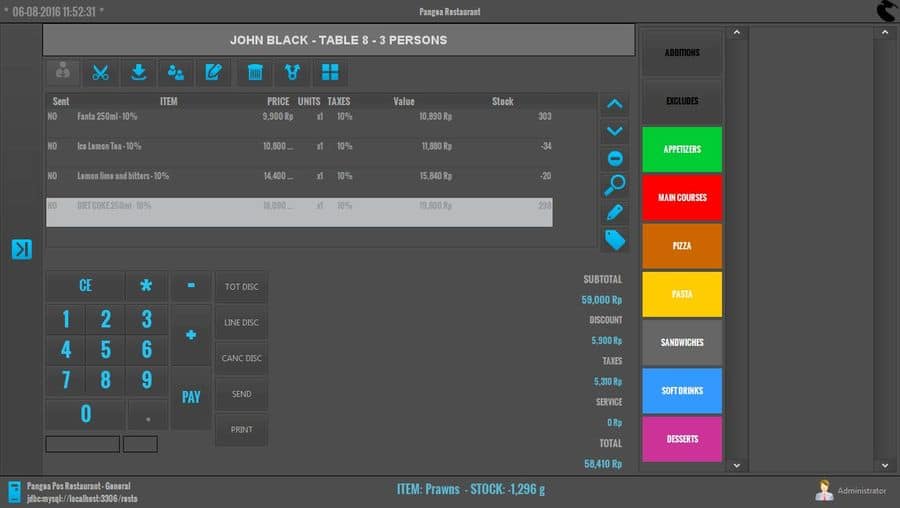
Pangeapos is an open-source attempt at something genuinely useful for retail. The interface imitates older systems, which is its main weakness. Most worthwhile for hospitality. Windows only.
| Ease of use | Media-baja |
|---|---|
| How well it scales | Baja |
| Runs on | Windows only |
| Cloud-based | No |
| Online shop | No |
11. Core POS
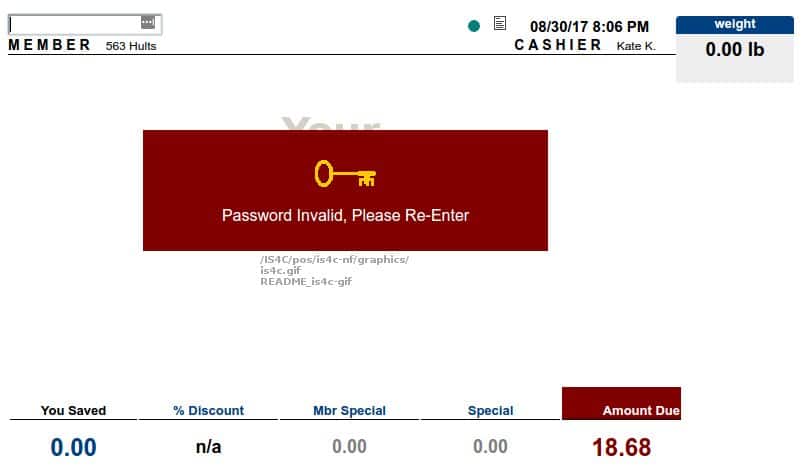
Core POS is open-source POS software kept going by a small team. Written in PHP for MySQL, which makes it easy to maintain. It deserves a mention for managing regular updates with a small user base.
| Ease of use | Media-baja |
|---|---|
| How well it scales | Baja |
| Runs on | Alta |
| Cloud-based | Sí |
| Online shop | No |
12. Wandaa
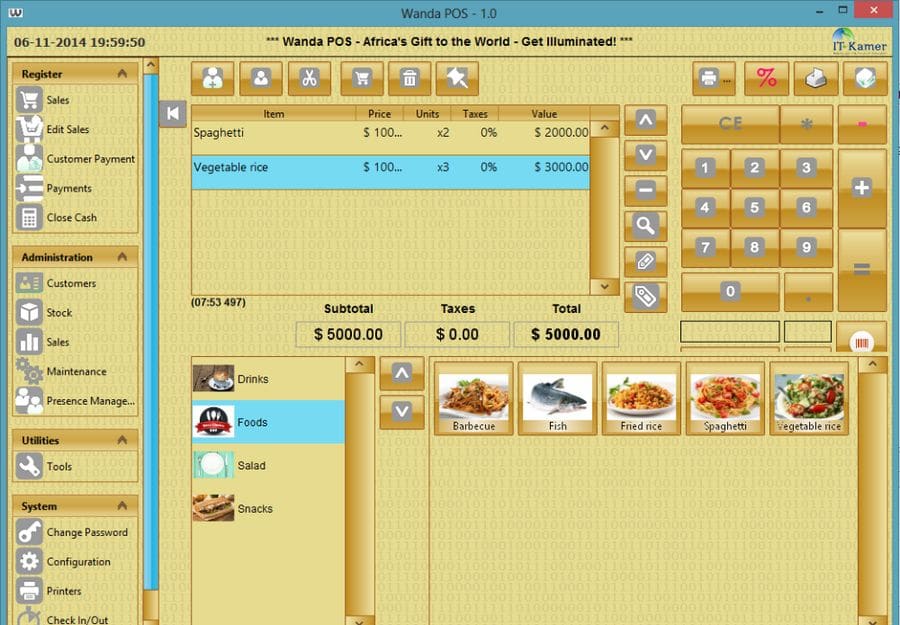
Wandaa is open-source desktop POS software — it doesn’t work in the cloud — compatible with Windows, Linux and Mac. The interface is fairly clean for a free desktop application and it’s among the quickest to get running. No updates since 2014.
| Ease of use | Baja |
|---|---|
| How well it scales | Baja |
| Runs on | Windows, Linux, Mac |
| Cloud-based | No |
| Online shop | No |
13. View Touch
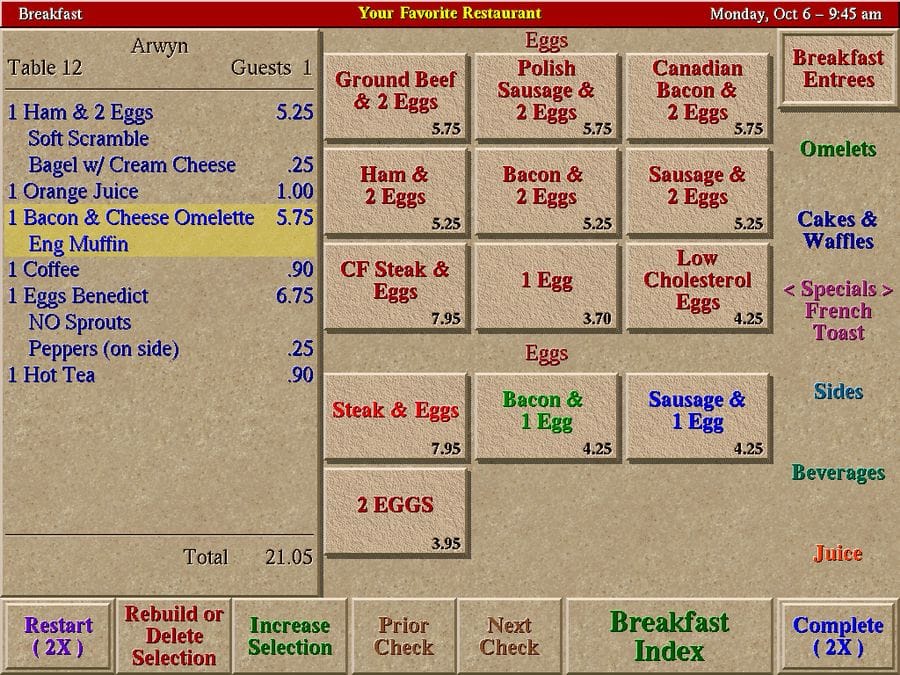
View Touch is POS software made for hotels, native to Linux and compatible with the Raspberry Pi (Debian-based). The interface could be better, but it’s one of the few Linux-native systems still actively developed. A good option for those who prefer open source and the Linux ecosystem.
| Ease of use | Media-alta |
|---|---|
| How well it scales | Baja |
| Runs on | Linux / Raspberry Pi (Debian) |
| Cloud-based | No |
| Online shop | No |
14. GnuCash
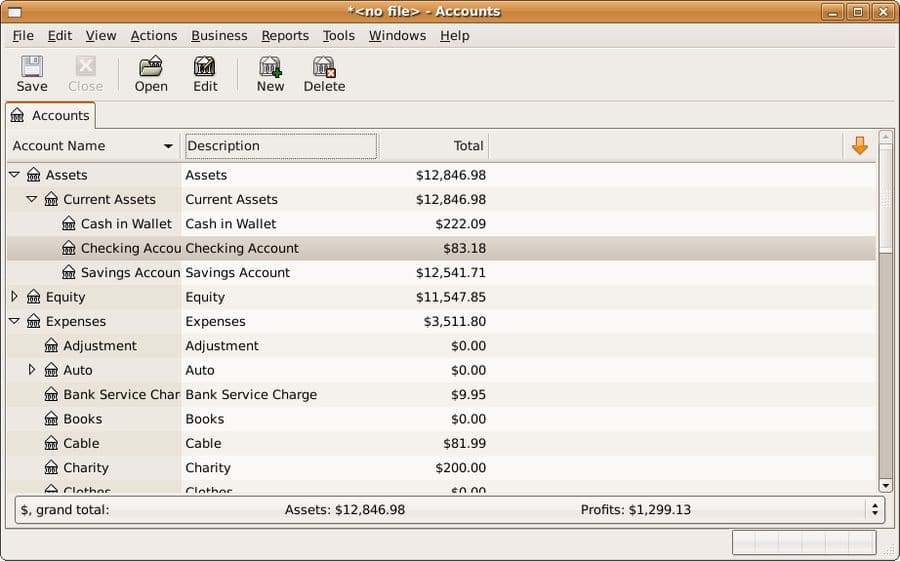
GnuCash is GNU-licensed accounting software compatible with Linux, Windows and Mac, available in ten languages. It’s a desktop application, which limits where it can go. Worth a look for anyone who won’t touch proprietary code.
| Ease of use | Media-baja |
|---|---|
| How well it scales | Baja |
| Runs on | Windows, Linux, Mac |
| Cloud-based | No |
| Online shop | No |
15. Posper
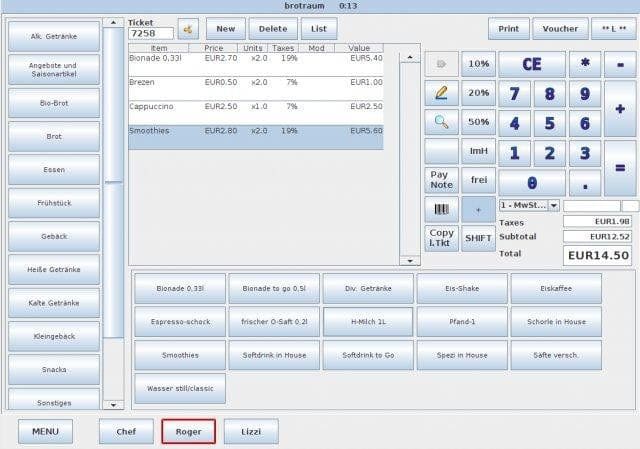
Posper is POS software meant for large touchscreens — a computer, or a 9-inch tablet. Compatible with any operating system that runs Java (Windows, Linux and Mac). It covers the basics and has few bugs. No updates since 2013.
| Ease of use | Media |
|---|---|
| How well it scales | Media-baja |
| Runs on | Windows, Linux, Mac (needs Java) |
| Cloud-based | No |
| Online shop | No |
16. Eneboo
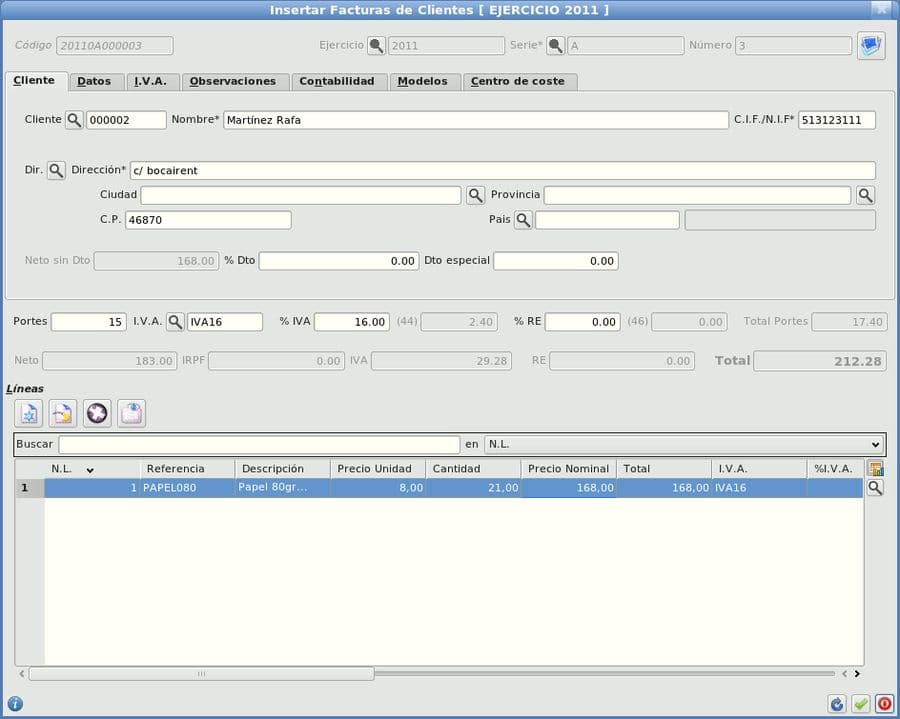
Eneboo is an open-source ERP with a POS module, built by a Spanish community. For medium and large businesses it has the advantage of putting accounting and POS together, but it may be far more than a small shop needs. Despite the lack of recent releases, the community on its Google group answers questions regularly.
| Ease of use | Media |
|---|---|
| How well it scales | High — built for medium and large businesses |
| Runs on | Media-alta |
| Cloud-based | Sí |
| Online shop | No |
17. Moon Lite
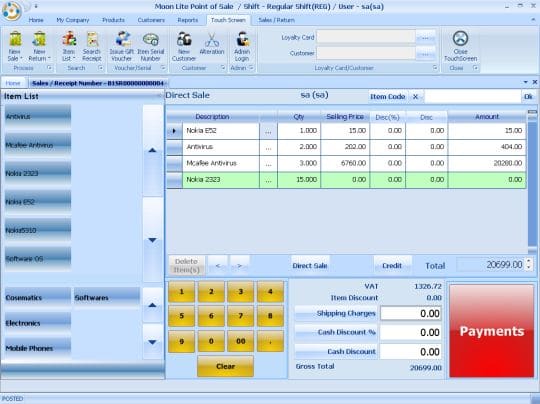
Moon Lite may suit shops with underpowered computers that would rather not use the cloud and are running older versions of Windows. It covers the basics for a small shop, though there’s no active support.
| Ease of use | Media |
|---|---|
| How well it scales | Baja |
| Runs on | Windows (older versions) |
| Cloud-based | No |
| Online shop | No |
18. Adaxa
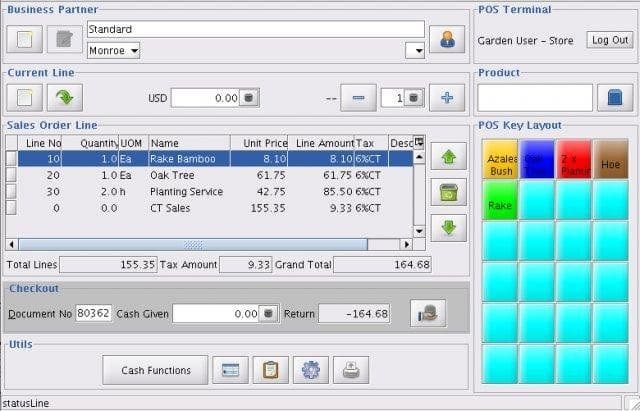
Adaxa is another open-source ERP with a POS module. Unless you’re a medium or large business, something simpler will serve you better. It works well, the community is reasonably large and there have been recent updates. Written in Java. The most notable thing about it is the Magento integration for eCommerce.
| Ease of use | Media |
|---|---|
| How well it scales | Media |
| Runs on | Media-alta |
| Cloud-based | No |
| Online shop | Yes — integrates with Magento |
19. Lemon
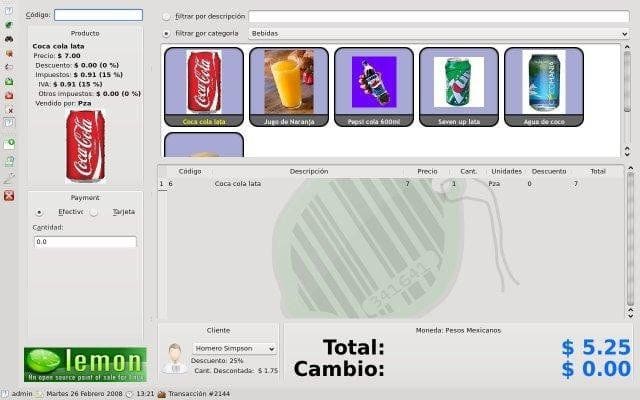
Lemon was, in its day, the free POS with the most promise anywhere online. It started in 2007 and its community grew for years, but the website closed and today it’s only available to download from SourceForge. Debian Linux only.
| Ease of use | Media |
|---|---|
| How well it scales | Baja |
| Runs on | Debian Linux only |
| Cloud-based | No |
| Online shop | No |
20. SultanPOS
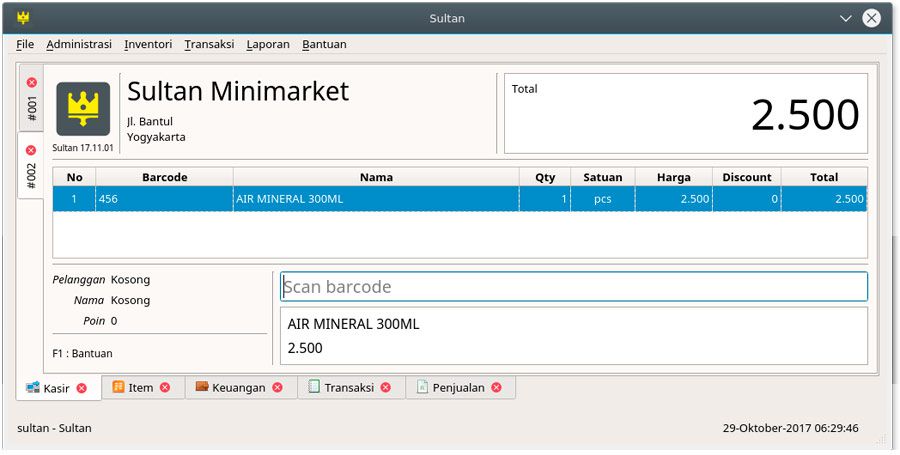
SultanPOS is open-source POS software written in C++ on a Linux framework. It works offline only and is aimed at small shops. It’s somewhat awkward to install given everything it depends on, but once it’s running it does the job for a bricks-and-mortar shop.
| Ease of use | Medium — awkward to install |
|---|---|
| How well it scales | Baja |
| Runs on | Solo Linux |
| Cloud-based | No — offline only |
| Online shop | No |
21. Tutapos
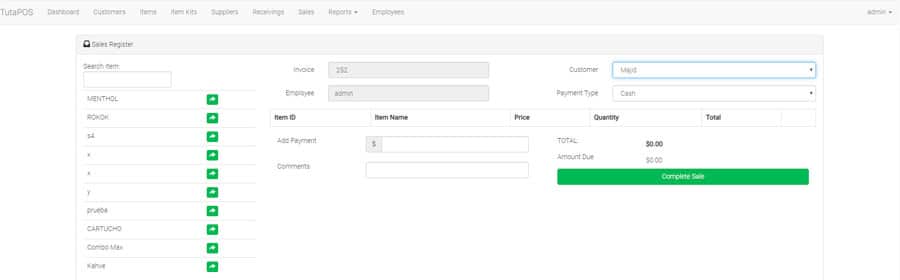
Tutapos is open-source POS software written in Laravel, which makes installing and maintaining it straightforward if you know your way around a computer. It’s very simple, which is an advantage in a shop where the owner works alone. No recent updates.
| Ease of use | Alta |
|---|---|
| How well it scales | Baja |
| Runs on | Baja |
| Cloud-based | Sí |
| Online shop | No |
22. Nanopos
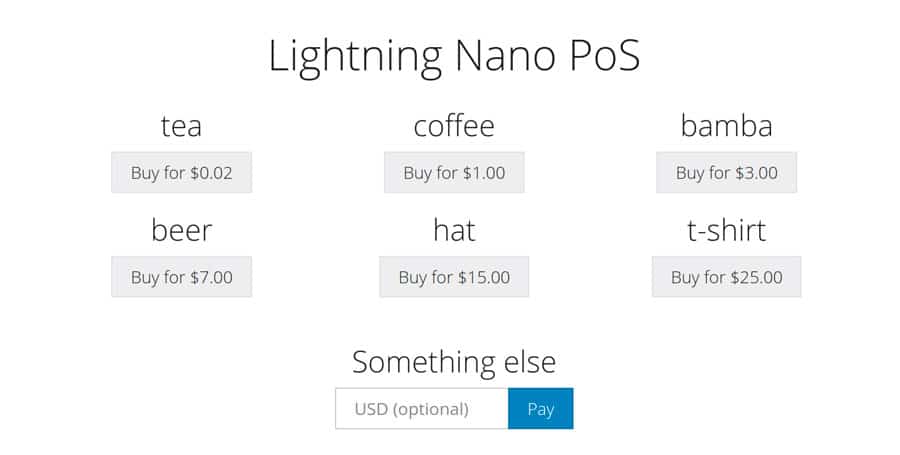
Nanopos is simplicity pared to the bone: two clicks and the sale is done. If your shop sells only a handful of different products, it’s worth considering. All you can do is pick the product and close the sale, but that plainness is refreshing in a field stuffed with options.
| Ease of use | High — as simple as it gets |
|---|---|
| How well it scales | Baja |
| Runs on | Baja |
| Cloud-based | Sí |
| Online shop | No |
23. IotPOS
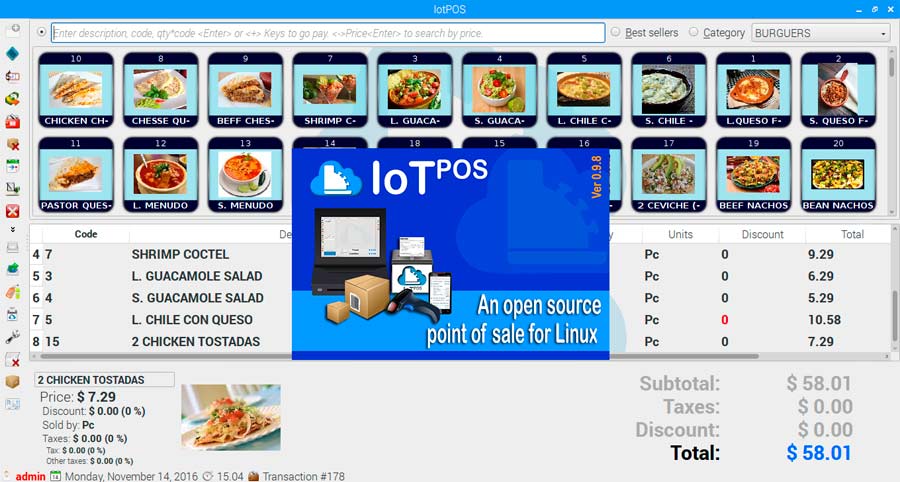
IotPOS is a fork of Lemonpos into which its developer has put so much work that it earns its own place on this list. It has simplified Lemonpos, supports the Raspberry Pi and offers real answers to the compatibility problems that come with hardware from different makers. It includes TStock for stock control, plus features around sensors and alarms.
| Ease of use | Alta |
|---|---|
| How well it scales | Media |
| Runs on | Linux / Raspberry Pi |
| Cloud-based | Sí |
| Online shop | No |
24. Odoo
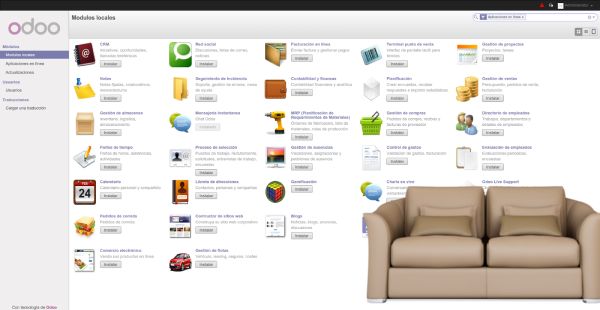
Odoo is a Belgian cloud ERP with a POS module. I like it for being self-hostable: with a technician, or some server knowledge of your own, you can tailor it completely. Being an ERP, you’ll be dealing with modules for stock and invoicing, both of them thorough. If a full ERP is what you need, Odoo may be the best thing on this list. The catch is that out of the box it’s very bare and needs several paid plugins to be usable — the ones a shop can’t do without come to around €1,000.
| Táctil | 4/5 |
|---|---|
| How well it scales | Alta |
| Runs on | Media |
| Cloud-based | Yes — self-hostable too |
| Online shop | Yes — eCommerce module |
25. Remero
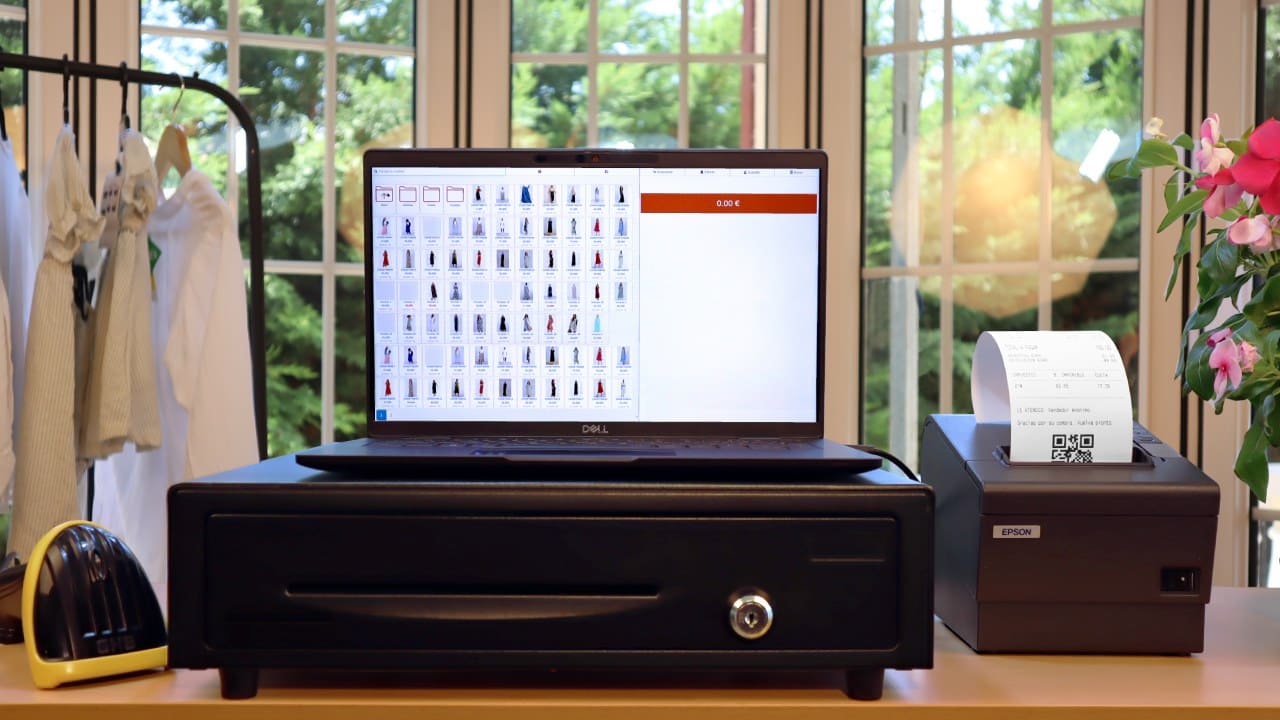
Remero is genuinely interesting. It’s POS software that’s very easy to handle, carefully designed in both the dashboard and the sales and refunds screens. You can set up sizes and colours, offers, categories and everything you’d expect, with a very short learning curve. Till control is reliable, with a history of transactions, sales, refunds and cash-ups. It isn’t accounting software: it’s counter software for handling stock and sales.
| Táctil | 5/5 |
|---|---|
| How well it scales | Alta |
| Runs on | Media |
| Cloud-based | Sí |
| Online shop | Sí |
Which of these is right for you?
Having tried them, the list comes down to three cases:
- If you want to start today and never touch a server: you want a cloud POS. Nothing to install, you sign in from any device, and backups and updates aren’t your problem.
- If you’re technically minded and want it to cost nothing: the open-source options here will do. Bear in mind that “free” means the licence costs nothing: the server, the installation, the backups and the upkeep all cost something, and you pay for them in money or in hours.
- If you sell online as well: look at the “Online shop” row on each panel. Most don’t include one, and keeping stock in two places ends in figures that don’t match.
Frequently asked questions about POS software
What’s the difference between a cloud POS and one installed on the computer?
A cloud POS needs no installation and runs in the browser: you sign in from any computer, tablet or phone, and the data sits on a server the provider looks after. That’s the practical choice if you want to keep an eye on the shop from elsewhere, or you have several tills. An installed one only works at the computer you put it on, and if that machine fails you lose whatever you hadn’t backed up.
Is it better to have an easy POS or one with a lot of features?
It depends on what you genuinely need, but a long list of features is worth being wary of. Some are very involved and will do almost anything; others you can learn in five minutes. Software with hundreds of options nobody uses ends up slowing the counter down, and the counter is exactly where sales are lost and where a queue shows.
Is there such a thing as genuinely free POS software?
Yes, but it’s worth being clear about what free means. The open-source systems on this list charge no licence fee, and you can use them without paying the developer anything. What does cost money or time is the server they’re installed on, getting them running, the backups and the upkeep. If you aren’t technically minded, that work ends up costing more than a monthly subscription.
Do I need to buy special hardware to run a POS?
Not necessarily. Plenty of the systems here run on an ordinary computer. What people usually add is a receipt printer and a barcode scanner, both of which work with almost any POS. A touchscreen is convenient but not essential: you can sell perfectly well with a mouse and keyboard.
Can I move my products and customers from one POS to another?
Nearly always, using a CSV file you export from the old software and import into the new one. What you can rarely bring across is the sales history, because every system stores it its own way. Before you switch, check that the new POS can import a CSV and ask whether they’ll help with the move.
How much does paid POS software cost?
The usual arrangement is a monthly fee per shop, and the range runs from around €30 to more than €100 a month depending on what’s in it. What matters isn’t the figure but what it covers: some charge separately for the online shop, for backups, for support or for each extra till, and that’s where the comparison changes.