Results appear as you type. Use the arrow keys to move and Enter to open. Press the slash key to come back here.
How to allow pop-ups
You need pop-ups allowed in your browser to create barcodes and print receipts. To allow pop-ups:
- Sell an item as normal.
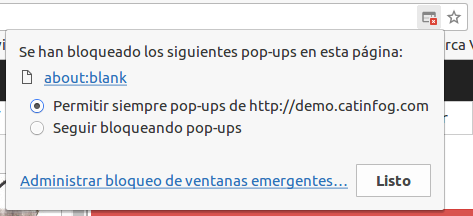
- If the print dialogue didn’t appear when you finished the sale, you should see an icon in your browser’s address bar showing that pop-ups are being blocked.

- Click the icon, then click Allow, then Done.