Results appear as you type. Use the arrow keys to move and Enter to open. Press the slash key to come back here.
Special offers
To create offers from the dashboard:
- Go into your dashboard.Go into your dashboard.
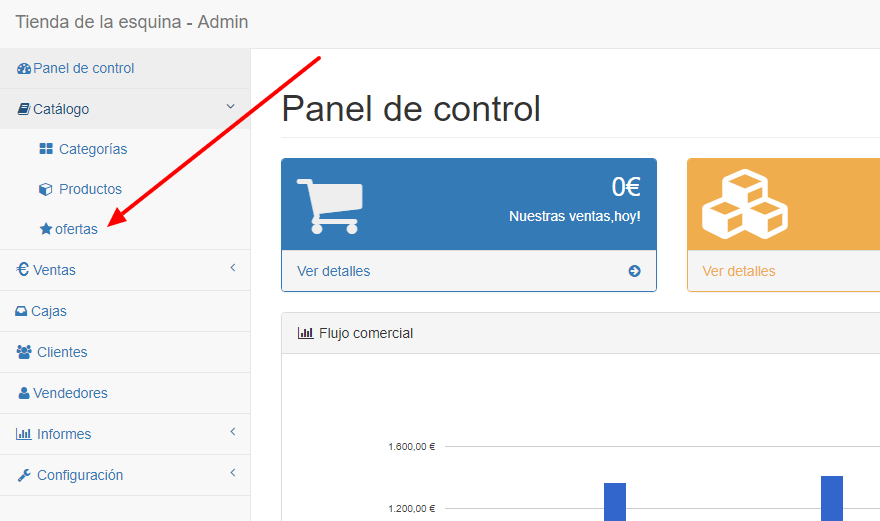
- Click Catalogue and then Special offers.
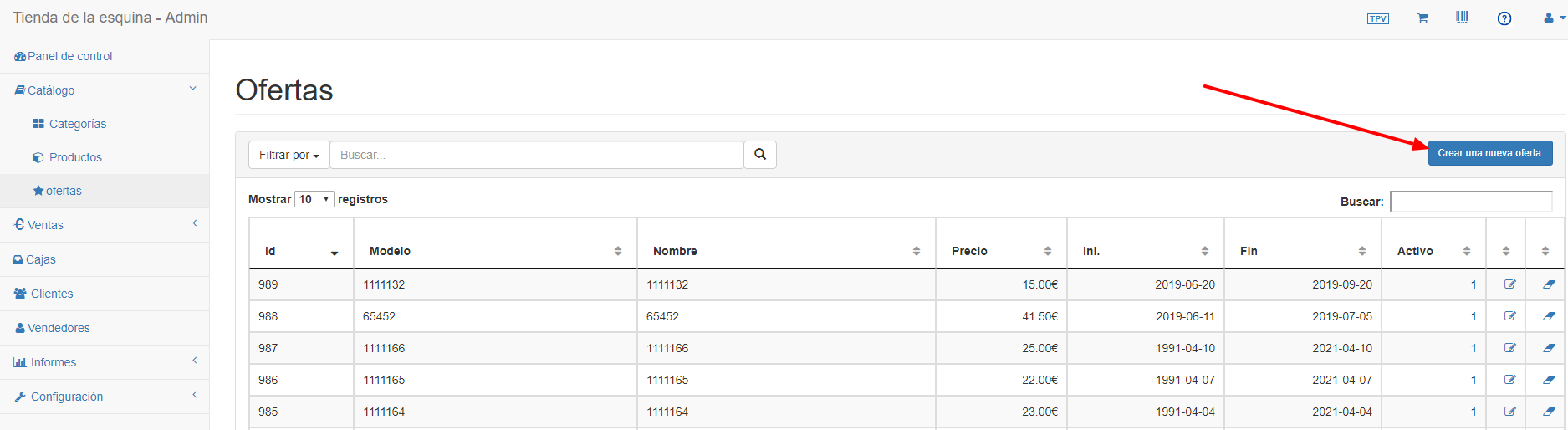
- Click Create a new offer
- Fill in the fields you need:
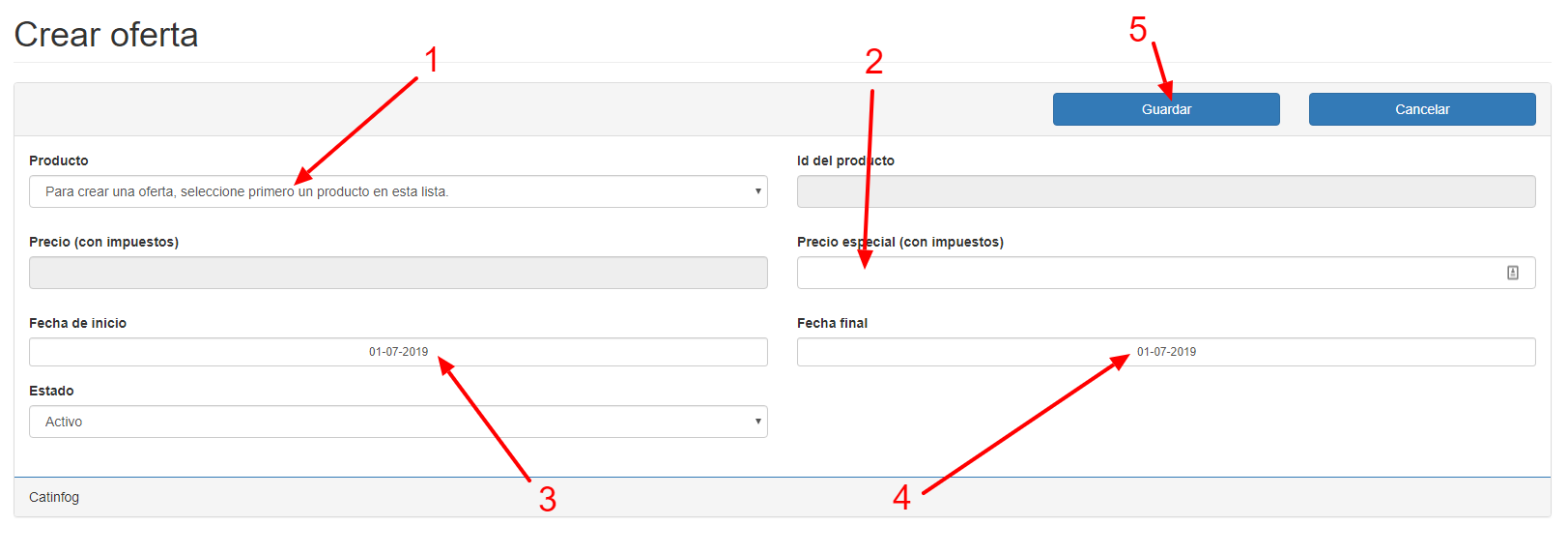
- Selecciona el producto
- Enter the offer price (tax included)
- Start date The date the offer begins.
- End date. The date the offer ends
- Precio. Impuestos incluidos.
- Guarda la oferta.