Results appear as you type. Use the arrow keys to move and Enter to open. Press the slash key to come back here.
How to create a product
To create a product, follow these steps:
- Go into your dashboard.Go into your dashboard.
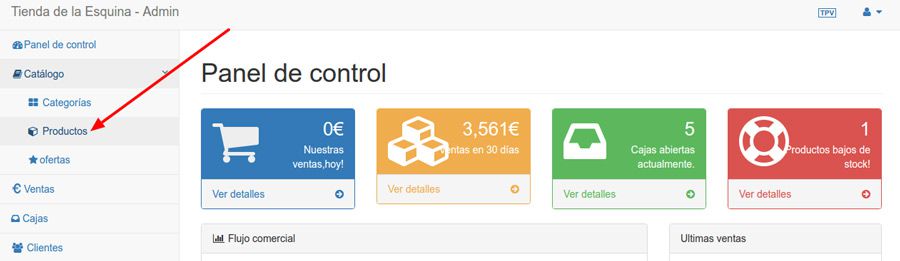
- Click Catalogue and then Products.
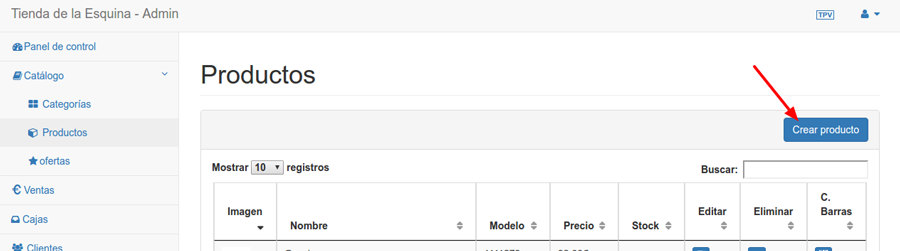
- Click Create product
- Fill in the fields you need:
- Nombre
- Model (the barcode comes from this field)
- Categoría (debes haber creado la categoría previamente)
- Stock. The product’s overall stock. If the product is going to have variants such as sizes and colours, this should be the total of all of them. To find out how to add variants, read this article.
- Price. Excluding tax.
- Image.
- Description. Only appears in the online shop.